
Turning a Keycube into a music instrument
During my year in Canada, I had the opportunity to work with Damien Brun, one of the creators of the Keycube. My project consisted of repurposing this innovative tool to transform it into a real musical instrument.
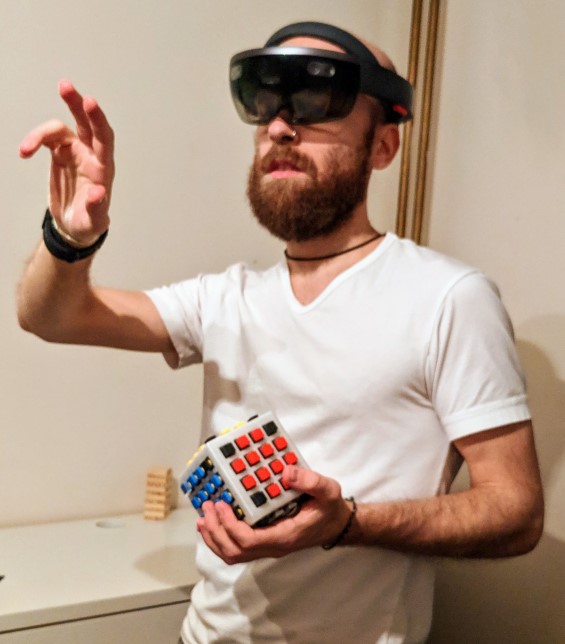
Example of the Keycube being used with a mixed reality headset
What is the Keycube?
The Keycube is a tangible, portable, cubic text-entry device. It was designed to adapt to virtual, augmented, and mixed environments. Its main features are:
- It has 80 physical keys distributed across five of its faces.
- It features a touch screen on its sixth face, which also serves as a base to rest the device.
- It is equipped with a 6-DoF inertial measurement unit (accelerometer and gyroscope) and a motor providing vibrotactile feedback.
- Its form factor allows for high mobility and adapts to numerous body postures.
You can learn more about the Keycube by reading the paper written by Damien Brun, Charles Gouin-Vallerand, and Sébastien George: click here.
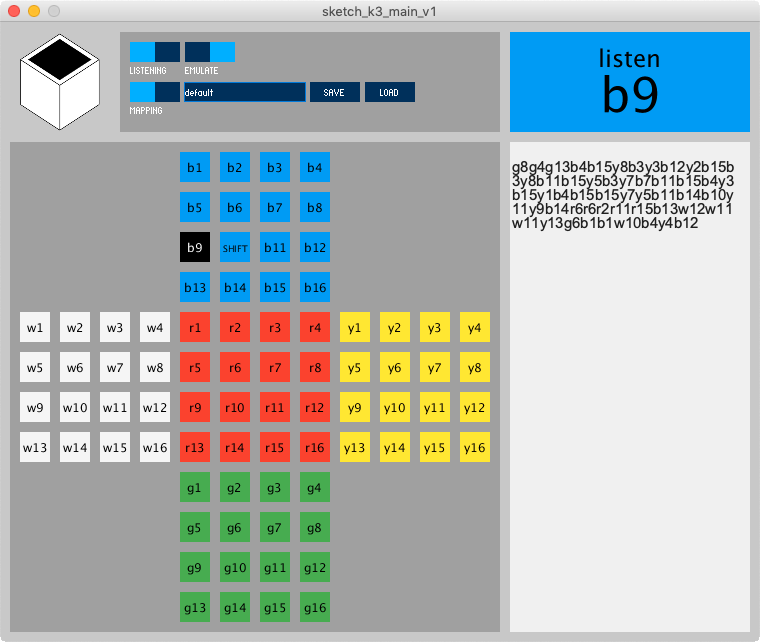
Image of the Keycube software including interactive layout, mapping and emulation
My project: Turning the Keycube into an instrument
For my project, I worked on transforming this interface into an interactive musical instrument, notably by using an Adafruit MacroPad RP2040. Here is how I proceeded:
- Initial approach with sound frequencies: I initially programmed the board in CircuitPython via the Mu Editor IDE to directly generate a specific sound frequency (standard musical notes) when a key was pressed.
- Evolution into a MIDI controller: To achieve more realistic sounds, I modified the code by integrating the
adafruit_midiandusb_midilibraries to send MIDI messages directly to the computer via USB. - Sound interpretation on PC: I used the VirtualMIDISynth software combined with a digital soundbank (
.sf2file) and the MIDI-OX software to capture the MIDI signals from the board and translate them into real piano notes. - Adding advanced features: To finalize the project, I utilized specific keys on the device to allow the user to change instruments on the fly (for instance, switching from a piano to a violin or a guitar), while the other keys were used to play the melody.
This experience was not only highly engaging but also incredibly rewarding, opening the door to an area of computer science and hardware integration I had never explored before.
Feel free to contact me if you have any questions about this project.